Bilvo hosting: your free bilvo.live address
The fastest way online, on every plan. Pick a name, press Publish, and your site is live at yourname.bilvo.live. Paid plans can use your own domain.
On every plan, Free included, your site can go live on Bilvo hosting with a free address like sunny-bakery.bilvo.live. On Solo, Pro and Agency it can also use your own domain. There's nothing to set up: it's fast, secure (https) and works straight away.
On the Free plan
You can build up to 5 websites and put 1 live on a free bilvo.live address. A custom domain needs Solo, Pro or Agency. See Plans and limits.
Open Publish
Click Publish at the top right of the builder.
Choose your address
Type the name you want in Address. A green ✓ Available means it's yours to use. Short and simple works best, like your business name.
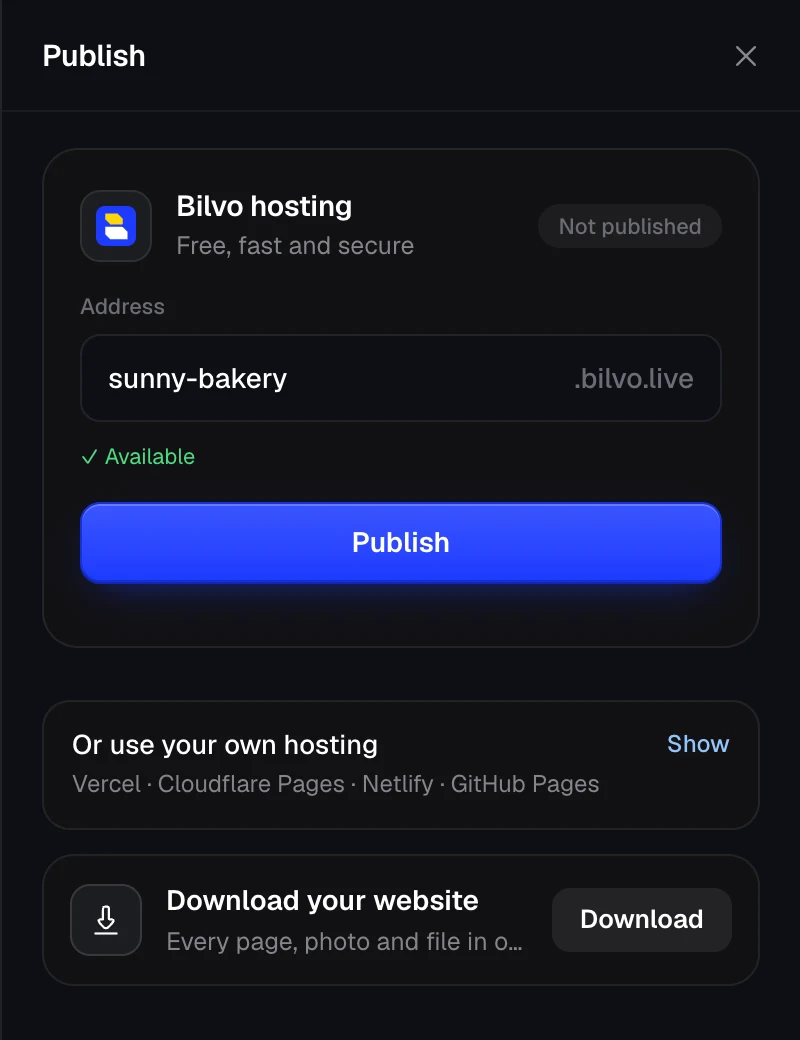
Pick a name, then press Publish.
Press Publish
Your site is live in a few seconds. The label turns green: Live.
Update after changes
Make your edits, then open Publish and press Update site.
Change the address
Open Site settings → Domain, change the name in Address and press Update site. The old address stops working, so update any links you've shared.
Your own domain on Bilvo hosting
Your own domain (like yourbusiness.com) on Bilvo hosting is included on every paid plan: 1 domain per live website (Solo 1, Pro 5, Agency 20). Open Site settings → Domain, type your domain and copy the records Bilvo shows to where you bought it. Full steps: Connect your own domain.
Badge and Google on a bilvo.live address
Sites on a free bilvo.live address show a small Built with Bilvo badge and are not shown in Google. Put your own domain on it to remove both: see Connect your own domain.
Storage and bandwidth
Paid plans have unlimited storage. Bandwidth is fair use: 100 GB per live site a month on Solo, 200 GB on Pro and Agency. Sites only on a bilvo.live address don't count toward your plan's live websites. See Plans and limits.
Still stuck?
A real person replies by email.