Spam guard on your forms
Every Bilvo form blocks spam by itself. No puzzles for visitors and nothing for you to set up.
3 min read
Every form on your Bilvo site has a spam guard. It's on from the start, on every plan. There's nothing to turn on, and your visitors never have to solve a puzzle.
What it blocks
- Robots that fill hidden boxes. Each form has a box people can't see. Robots fill it in and get caught.
- Messages sent too fast. A real person takes a few seconds to fill in a form. A message sent the moment the page opens is a robot.
- Random letters. Names, subjects or messages like "Wn6aylzWCA" are stopped.
- Fake email addresses. An address in the wrong shape, or one whose website can't get email, is stopped.
- Messages stuffed with links.
- Floods. One visitor can send up to 5 messages to your site in 10 minutes.
See how much spam was blocked
Click your form
In Edit mode, click the form on your page.
Look under Send to
Spam blocked shows how many messages the guard stopped. Point at it to see the latest ones, with a short look at each.
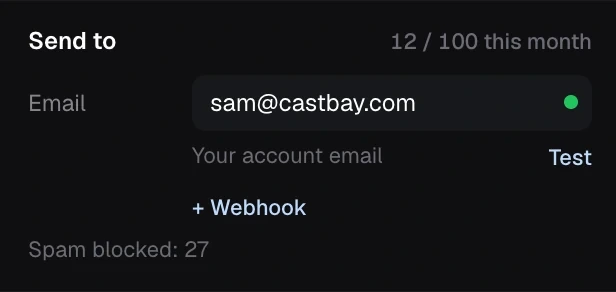
Blocked spam never counts toward your monthly messages.
What visitors see
- A typo or a made-up answer: a short red note under that box, like Please write a real name. or Please check this email address. They fix it and send again. Nothing is lost.
- Too many messages in a row: "You've sent a few messages already. Please try again a little later."
- Robots: they see the usual thank-you message, so they don't learn they were caught. You never get their message.
Only words that should be words are checked
Codes, order numbers, choices, tick boxes and dates are never judged. Names in any language and alphabet pass.
Good to know
- Your own tests from Preview skip the guard.
- On your own hosting, or with downloaded files, publish again after a change so your forms get the newest protection. Older copies still deliver messages.
- Want to know how many messages your plan gets? See Form limits, spam protection and fixes.
Still stuck?
A real person replies by email.