Share a view link and get comments
Send a view-only link to your site and let people pin comments right on the page.
Want feedback from a client or a friend? Send them a view-only link. They see every page of your site, but they can't change anything. They don't need a Bilvo account.
Turn on the view link
Open Share
In the editor, click Share at the top right. You can also click Share in a site's menu on your dashboard.
Turn on the link
Under Public link, turn on Anyone with the link can view.
Copy and send it
Click Copy next to the link. Send it by email or chat.
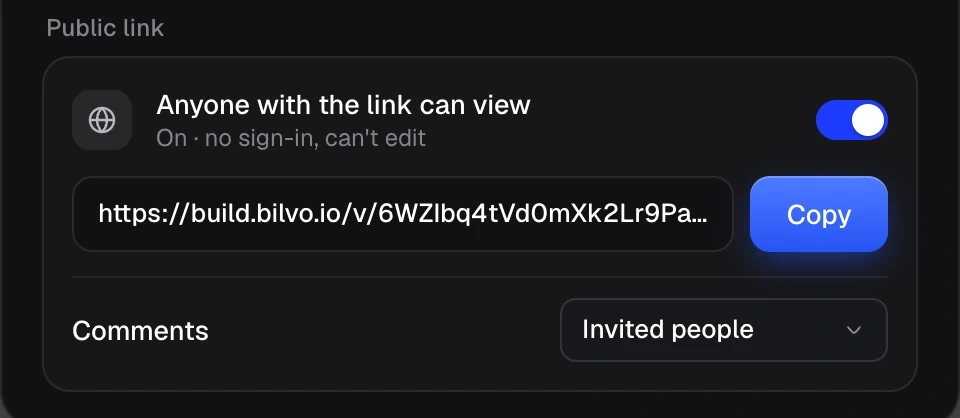
The view link and who can comment, in the Share window.
People with the link can open every page of your site and switch between screen sizes, like desktop and tablet.
Choose who can comment
Next to Comments, pick one:
- Invited people: only people you invited to the site can comment. This is the default.
- Anyone with the link: anyone with the view link can comment. They add their name first.
- Off: nobody can comment.
You always see every comment.
Leave a comment
Click Comment
On the view page, click Comment.
Click a spot
Click the exact spot on the page you want to talk about. A pin drops there.
Write and send
Type your note and click Comment.
Read and answer comments
In the editor, click the Comments button in the bottom bar, next to Ask AI. A number shows how many comments are open.
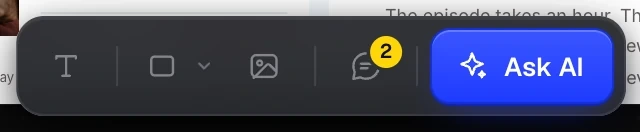
The Comments button shows how many are open.
- Reply: type in the Reply… box under a comment.
- Resolve: click Resolve when it's done. It moves to Resolved. Click Reopen to bring it back.
- Delete: you can delete any comment on your site.
- All comments: see comments from every page, not just this one.
Only you and people you invited can resolve comments. You also get an email when new comments come in.
Turn the link off
Open Share and turn off Anyone with the link can view. The old link stops working right away. If you turn it on again, you get a new link.
Want them to edit too?
Still stuck?
A real person replies by email.