Back up your site to GitHub
Keep a copy of your site in your own private GitHub repository, saved by itself after each change.
What you need
- A paid Bilvo plan
- A free GitHub account
- About 5 minutes
GitHub is a free service for storing website files. Bilvo can keep a copy of your site there, in a private place only you can see.
GitHub backup is on paid plans. It uses one of your plan's live websites.
Turn it on
Open Backup
Open Site settings → Backup. You can also click the Back up to GitHub icon in the top bar.
Site settings › Backup
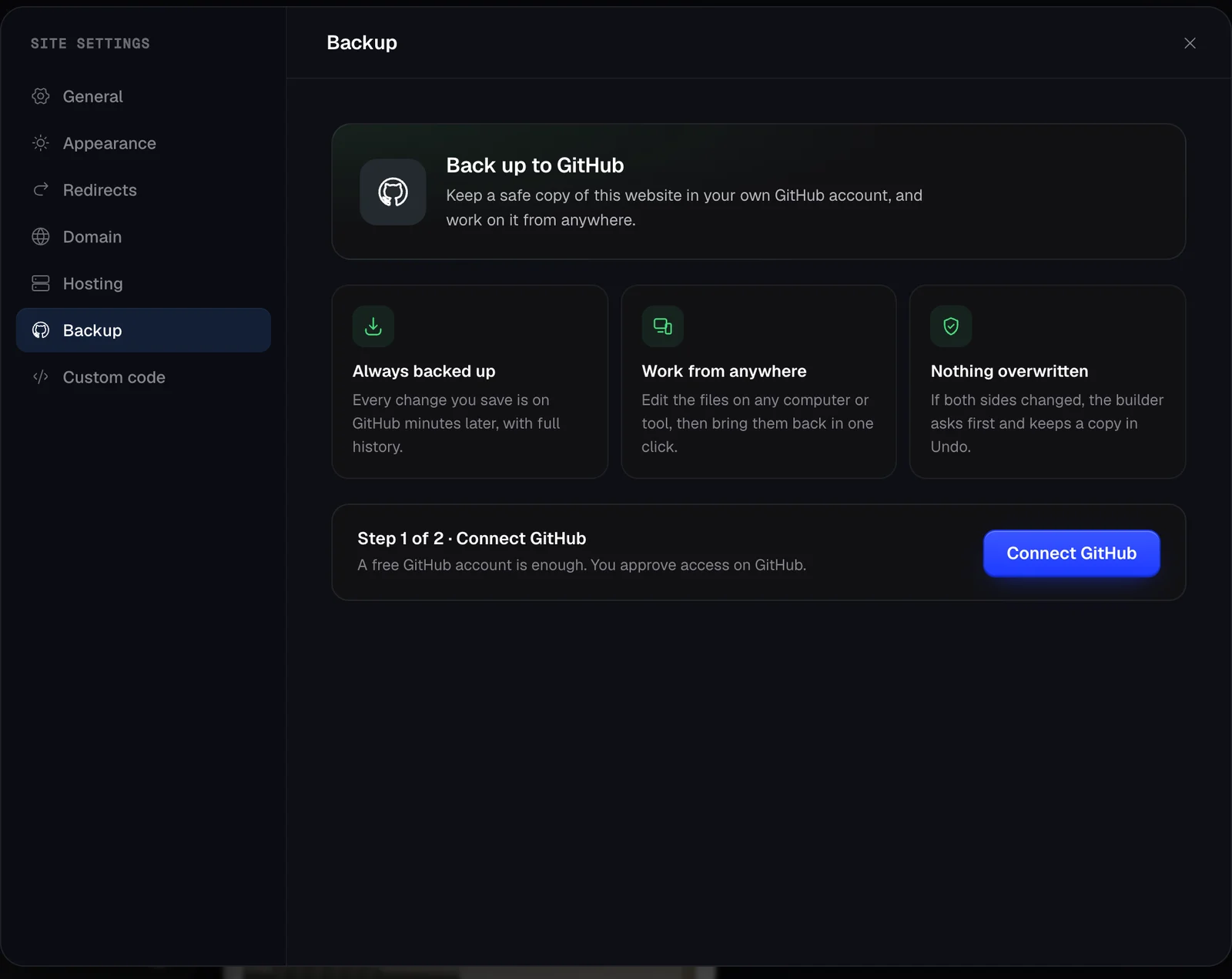
Connect GitHub
Paste a GitHub token. Make it in GitHub's settings and tick the repo box so Bilvo can save files.
Create the backup
Click Create backup. Bilvo makes a new private repository and saves your site there.
After it's on
Option — What it does
- Automatic backup — Saves a copy a few minutes after each change
- Back up now — Saves a copy right away
- Bring in changes — Brings changes made on GitHub into Bilvo
- Open on GitHub — Opens your backup on GitHub
- Stop backups — Stops saving copies
Changed in both places?
Bilvo asks you first. Your Bilvo version is kept in Undo, so nothing is lost.
Still stuck?
A real person replies by email.