Show up in Google (SEO)
Check your SEO score, fix problems with one click and control how your pages look in Google.
SEO helps people find your site on Google. Bilvo checks your pages and helps you fix what's missing.
Free bilvo.live addresses
Sites on a free bilvo.live address show a small Built with Bilvo badge and are not shown in Google. Connect your own domain to remove both.
Check your score
Open SEO
Click SEO in the left rail. You see a score out of 100.
SEO
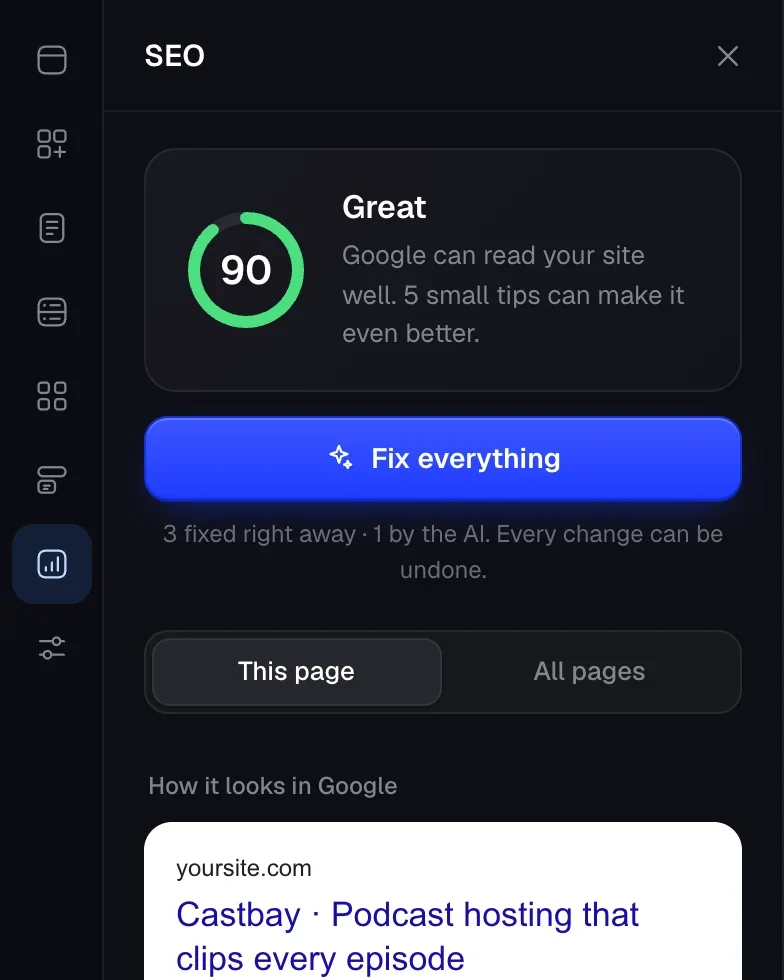
Check the Google preview
How it looks in Google shows your page title and summary as Google shows them. Click Write it for me to let the AI write them.
Pick a share picture
When someone shares this page sets the picture shown on Facebook, WhatsApp and other apps.
Fix problems
Below the score is a list of things to fix, per page and For the whole site.
Button — What it does
- Fix — Fixes that one problem right away
- Fix with AI — The AI fixes it, for example by writing missing text
- Fix everything — Fixes the whole list in one go
Want a full check? Click Ask the AI to review every page.
Sitemap
A sitemap tells Google which pages you have. Bilvo makes it for you each time you publish. Nothing to do.
Google and AI search
In Site settings → General you can turn these on or off:
- Show in Google search: lets Google list your site.
- Show in AI search: lets ChatGPT, Claude, Perplexity and Google's AI read your site.
To hide just one page, open its Page settings and turn off Show this page in search.
Still stuck?
A real person replies by email.