Publish to GoDaddy, Bluehost, Namecheap and other cPanel hosts
Many hosts use cPanel. Here's where its FTP details live and what to type into Bilvo.
What you need
- A hosting plan with cPanel (GoDaddy, Bluehost, Namecheap, HostGator, A2, InMotion and many more)
- Your cPanel login
- About 5 minutes
cPanel is the control panel many hosting companies give you. The FTP part works the same at every host. Some hosts wrap cPanel in their own dashboard, so you may need a click or two to get there: look for a button like cPanel or cPanel Admin.
1. Find your FTP details in cPanel
Open FTP Accounts
In cPanel, find the Files section and click FTP Accounts.
cPanel › Files › FTP Accounts
Use your main account, or make a new one
Under Special FTP Accounts you'll find your main cPanel account. Its username and password are your cPanel login. Or, in Add FTP Account, create a new one just for Bilvo. Set its Directory to public_html so it can only reach your website folder.
Get the server address and port
Next to the account, click Configure FTP Client. It shows the FTP Server (often ftp.yourdomain.com), the FTP Username and the FTP Server Port (21).
2. Connect it in Bilvo
What goes where in Bilvo
- Connection type: FTPS first (encrypted, and most cPanel hosts have it). If it doesn't connect, try FTP.
- Server address: The FTP Server from cPanel, like ftp.yourdomain.com
- Port: 21
- Username: The full FTP username, often name@yourdomain.com
- Password: That account's password
- Folder for your website: public_html. If you made an FTP account that opens straight in public_html, use / instead.
- Your website's address: Your domain, like https://yourbusiness.com
Open the form
In the builder, open Site settings → Hosting and click Connect next to Your own web hosting (FTP / SFTP).
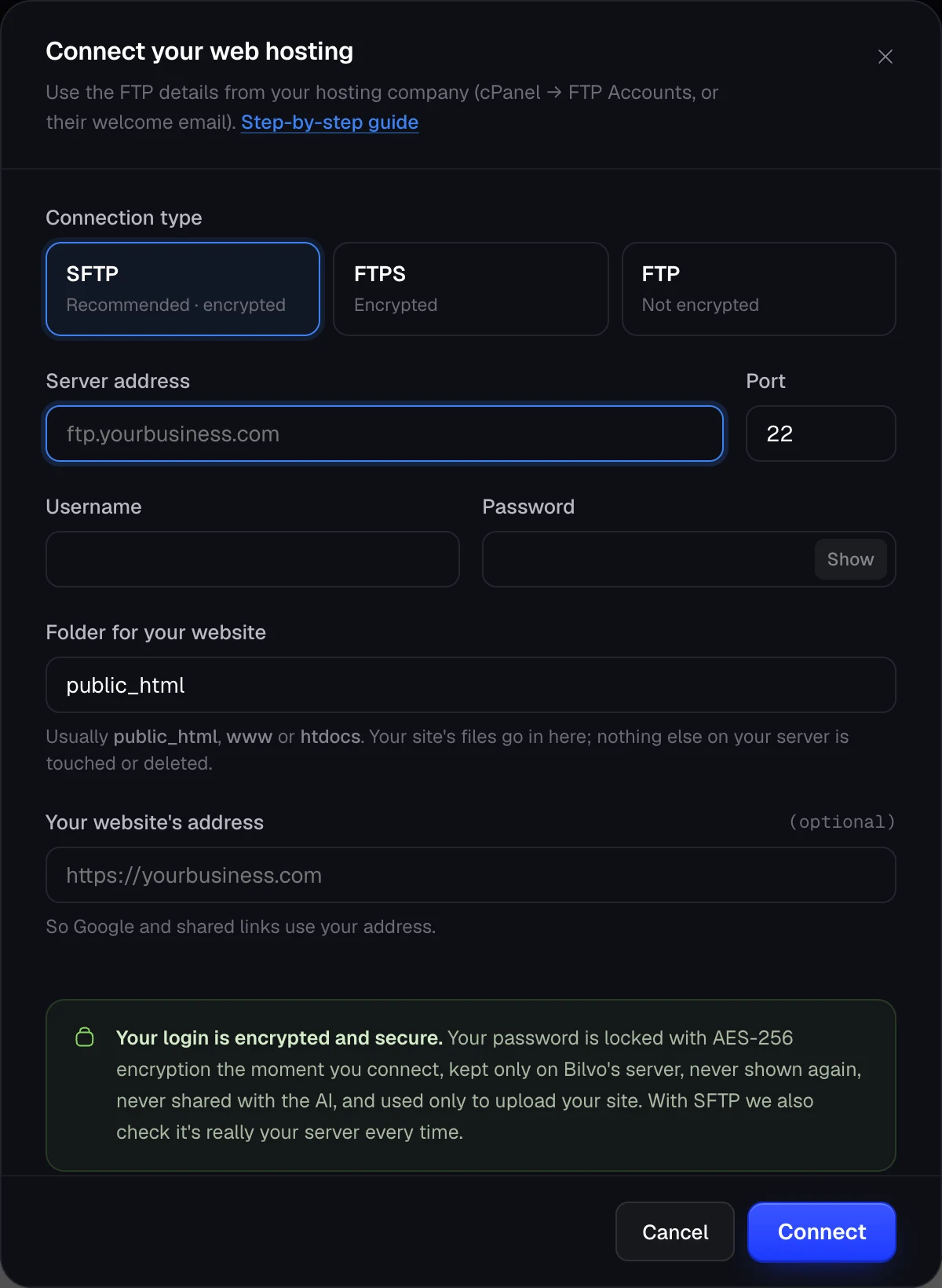
The connect form. The port changes by itself when you pick a type.
Pick FTPS and fill in the details
Paste what you copied from cPanel, then click Connect.
Publish
Click Publish at the top right. Your site is uploaded to public_html.
SFTP on cPanel
SFTP uses your main cPanel username and password on port 22 (some hosts use another port). It only works if your host turned on SSH access for your account; many hosts let you switch it on in their dashboard. If you aren't sure, FTPS is just as safe and easier.
3. Your domain
Bought the domain at the same host? It already points there: you're done. Bought it somewhere else? Point it to your host with the nameservers your host gives you (they're in your welcome email and in the host's dashboard). See Connect your own domain.
Host's welcome page still showing?
Delete the host's placeholder file in public_html (often default.html, index.php or default.php) with cPanel's File Manager. Keep Bilvo's index.html. See Troubleshooting.
Still stuck?
A real person replies by email.