Let others get a copy of your site
Turn on a duplicate link so anyone can add their own copy of your site to their Bilvo account.
A duplicate link lets someone get their own copy of your site. They can change their copy however they like. Your site stays exactly as it is.
It's handy for handing a finished site to a client, or sharing a site you made as a starting point.
Turn on the duplicate link
Open Share
In the editor, click Share at the top right. Or click Share in a site's menu on your dashboard.
Open the Duplicate tab
Click Duplicate at the top of the window.
Turn it on
Turn on Duplicate link. Click Copy and send the link to whoever you like.
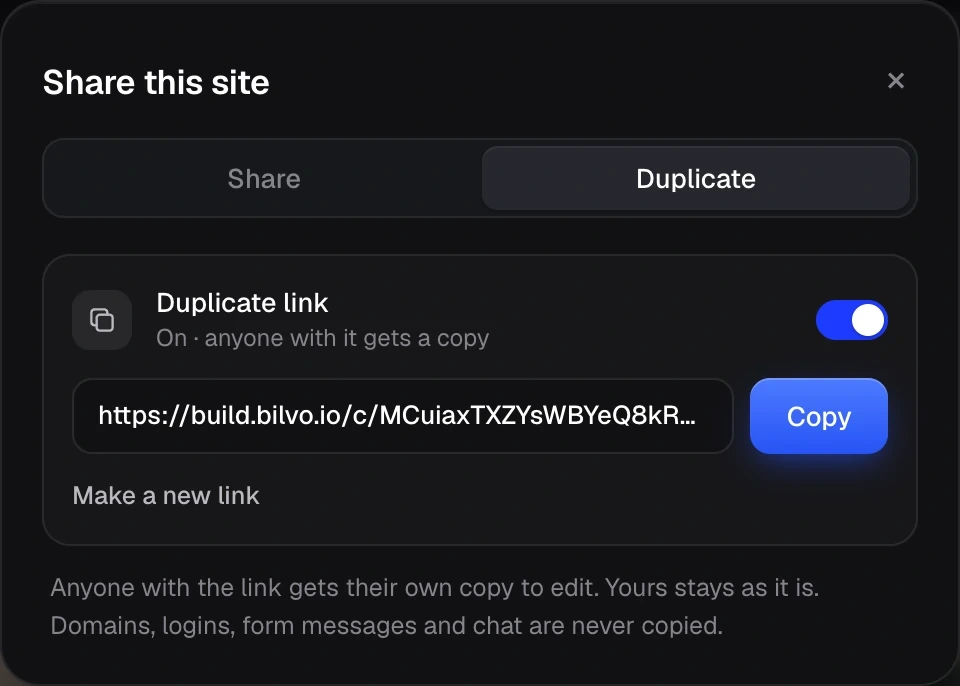
The Duplicate tab in the Share window.
What the other person sees
They open your link
They see your site's name and picture, with a Get a copy button.
They sign in
If they don't have a Bilvo account, they make a free one first, then come back to the page.
They get the copy
The copy appears in their sites as <your site name> (copy), ready to edit.
A copy counts as a new site on their plan, like any site they start. If their plan is full, they see See plans.
What's copied and what isn't
Copied: pages, styles, images, CMS lists and items, components, forms, menus, SEO settings and screen sizes.
Not copied:
- Your domains, live address and hosting logins
- Form messages, and where your forms send them
- People you invited, your view link and comments
- The AI chat, uploaded chat files and the AI's notes about your site
- Custom code from Site settings, like tracking codes
- Your Figma link, GitHub backup and visitor stats
Make a new link
Click Make a new link. The old link stops working right away. Use this if the link went to the wrong person.
Turn it off
Open the Duplicate tab and turn off Duplicate link. The link stops working right away. Copies people already made stay theirs.
Just want to copy a site for yourself?
Use Duplicate in the site's menu on your dashboard.
Still stuck?
A real person replies by email.