Edit your menu
Add, rename, reorder or remove menu links, including dropdowns and footer links.
Click Menu in the left rail. Changes are saved on every page.
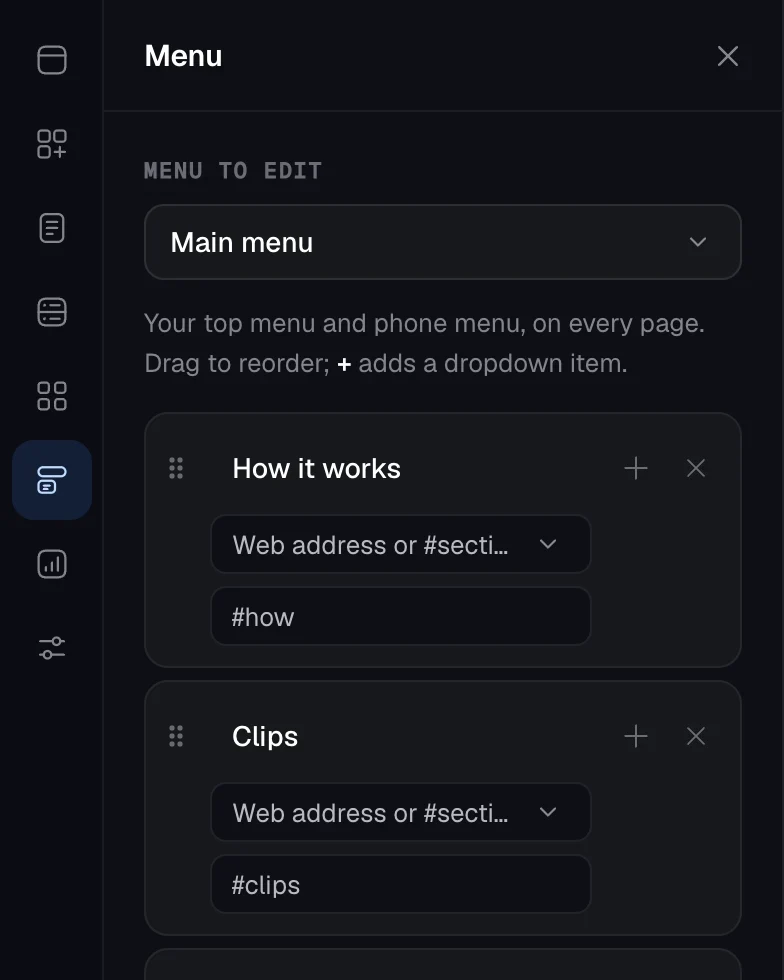
The Menu panel.
Rename an item
Under Main menu, click the item's name and type a new one.
Set where it goes
Change Where it goes to one of your pages, or to Web address or #section….
Reorder
Drag an item up or down.
Add or remove
Click New item to add one. Click Remove to take one out.
Dropdowns
Click the + next to an item to add a dropdown link under it. Rename and reorder dropdown links the same way.
Footer links
Your footer link lists are menus too. Pick one under Menu to edit, then change it the same way.
No menu yet?
If your header has no menu Bilvo can edit, click Ask AI to add a menu.
You can also right-click your header and pick Edit menu.
Still stuck?
A real person replies by email.